
A battery is the first component to wear out on any phone, and the repair that customers ask for most. It is also the repair most often done badly — with an oversized cell, a missing adhesive strip, or a battery whose management chip cannot be read by the device.
Here is how to judge a replacement battery, when replacement is actually justified, and what to check after fitting one.
When a Battery Actually Needs Replacing
Battery health percentages are a starting point, not a verdict. A device reporting 85% capacity can still deliver a full day, while one at 88% that shuts down at 20% has a genuine problem.
Replace when you see any of these:
- Random shutdowns at 15–30% remaining, especially in cold conditions.
- Health below 80% combined with the customer noticing the drop.
- Swelling — the frame lifts, the screen bows, or the device rocks on a flat surface. This is a safety issue, not a performance issue, and the device should not be charged.
- Rapid drain under load, with the rear of the device becoming noticeably hot during normal use.
Reading a Battery Spec Correctly
Three numbers matter, and marketing copy usually obscures all three.
- Nominal capacity in mAh — must match the original. A higher figure on the label is often a measurement trick, not a larger cell.
- Voltage — a 3.82 V cell is not interchangeable with a 3.87 V cell in a device expecting the latter, even if both are sold as “for” the same model.
- Cell type — genuine lithium-polymer cells versus lower-grade cells that lose capacity quickly. This is invisible on the label and is where most of the price difference lives.
Be sceptical of batteries advertised above the original capacity for the same physical size. Energy density is bounded by chemistry and volume; a “5000 mAh” cell in a housing designed for 3000 mAh is a measurement claim, not a physical one.
The Battery Management Chip
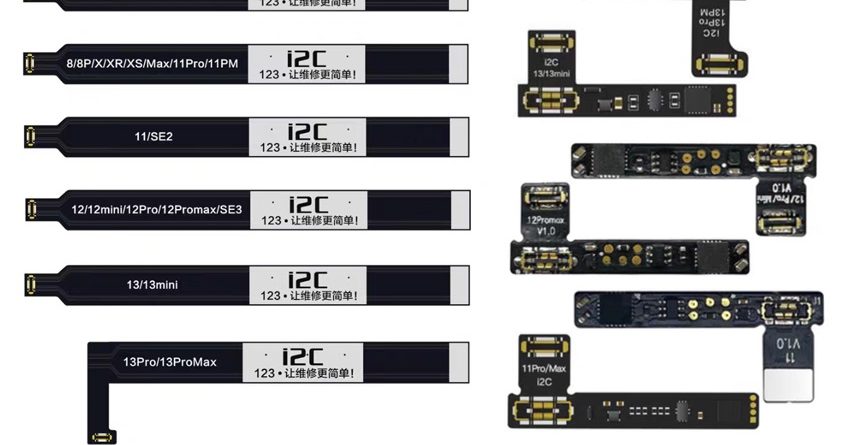
This is the part most aftermarket batteries get wrong. The BMS chip reports capacity, cycle count, and temperature to the device. On iPhone XS and later, a battery without a correctly programmed chip triggers a “Genuine Battery” warning and, on newer models, battery health reporting stops working entirely.
Two valid approaches:
- Buy a pre-programmed battery with a chip already configured for the model, from a supplier who states this explicitly.
- Transfer the original BMS from the old battery to the new cell using a spot welder — higher skill, but it preserves genuine battery health data and avoids the warning.
If neither is done, the repair “works” but the customer loses battery health information, which is exactly the feature they were trying to fix.
Installation Points That Prevent Comebacks
- Disconnect power first. Unplug the battery connector before anything else, and reconnect it last.
- Use the correct adhesive. Battery pull tabs are model-specific. Substituting double-sided tape risks the cell shifting and puncturing.
- Never pry a swollen battery. A deformed lithium cell can ignite. Work in a ventilated area away from flammable material and use plastic tools only.
- Check the connector seating. A partially seated connector causes intermittent shutdowns that look exactly like a bad battery.
After the Repair
Charge the device to around 50%, run it under load for fifteen minutes, and confirm the reported health and cycle count are sensible. Then verify the device does not shut down at low percentage by letting it drop below 20% while the customer is still present if possible.
Give the customer two pieces of advice that reduce repeat visits: avoid charging under pillows or in direct sun, and avoid routine deep discharge. Both are free and both measurably extend the life of the cell you just installed.
Stocking Batteries
Batteries have a shelf life. Order in quantities you will use within about six months, store them at room temperature away from direct sunlight, and rotate stock so older cells are used first. A battery that has sat in a hot stockroom for two years will underperform a fresh one even if both are the same model.
Find replacement cells by model in Apple parts and Samsung parts, and the tools for safe installation — including plastic spudgers and insulated tweezers — in repair tools.

Leave a Reply